

Hotkeys and commands
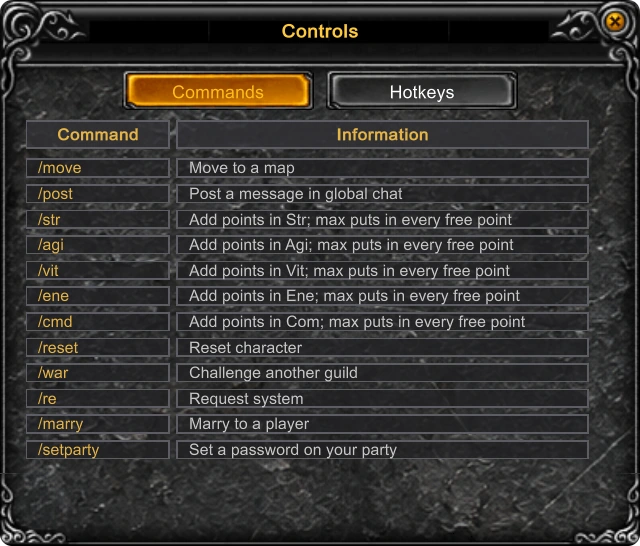
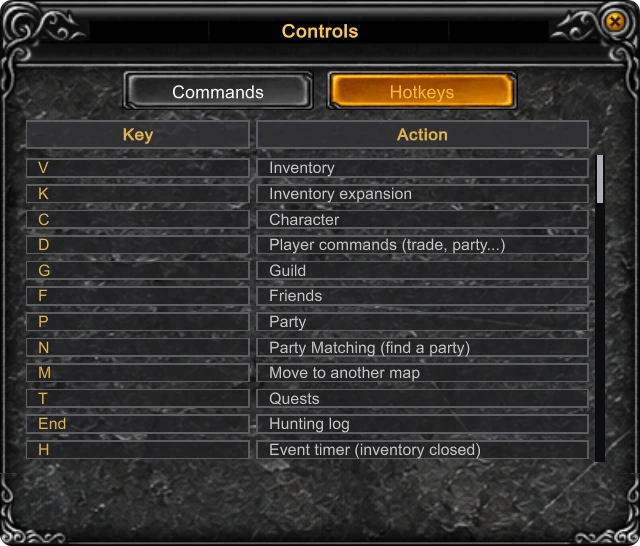
Nobody has to learn the keyboard by heart: the game keeps its own cheat sheet. Controls I lists the chat commands on one tab and every hotkey on the other. The tables below are the same knowledge, sorted by what you are doing.
Windows
| Key | Window |
|---|---|
| F1 | Main menu |
| C | Character |
| V | Inventory |
| K | Expanded Inventory |
| M | Move List |
| T | Quests |
| H | Event timer |
| J | Jewel Warehouse |
| X | Cash Shop |
| G | Guild |
| F | Friends |
| P | Party |
| N | Party Matching |
| D | Command window |
| A | Master skill tree |
| O | Options |
| I | Controls |
| End | Hunting Log |
| Tab | Map |
Hunting

| Key | Action |
|---|---|
| 1 - 0 | Select the skill on that key |
| Ctrl + 1 - 0 | Put the skill under the cursor on that key |
| Right mouse button | Cast the selected skill |
| Q W E R | Drink the potion on that key: healing, mana, Stamina, shield |
| Ctrl + Q W E R | Put the inventory item under the cursor on that key |
| Space | Pick up nearby items |
| Alt | Names of items on the ground |
| Z | EPIC Helper settings |
| S or Home | Start or stop the EPIC Helper |
| L | Repair mode with the inventory open |
| Mouse wheel | Camera zoom |
| F10 | Reset the camera |
| F12 | Screenshot |
To put a skill on a key, click the current-skill box on the bottom bar, point at a skill in the list and press Ctrl with the digit.
Chat commands
A line that begins with "/" is a command; as you type it the game suggests the matching ones.
| Command | What it does |
|---|---|
| /move map | Travel to a map |
| /post text | Message to the whole server - 100,000 Zen, from level 150 |
| /str, /agi, /vit, /ene, /cmd points | Put free points into a stat; "max" spends them all |
| /re on, off, auto | Accept or refuse requests from other players |
| /war guild | Challenge a guild to war |
| /setparty password | Put a password on your party |
| /pkclear | Open the PK Clear window |
Command window
D opens a column of actions aimed at another player: Trade, Party, Whisper, Guild, Alliance, Hostility Guild, Suspend Hostilities, Add Friend, Follow and Duel. Press a button, then click the player - he must stand within two steps of you. Trade needs level 6, Duel level 30.
In a safe zone there is a shortcut: a right click on a player standing next to you opens a small menu with Trade, Party, Follow and Duel.
Esc
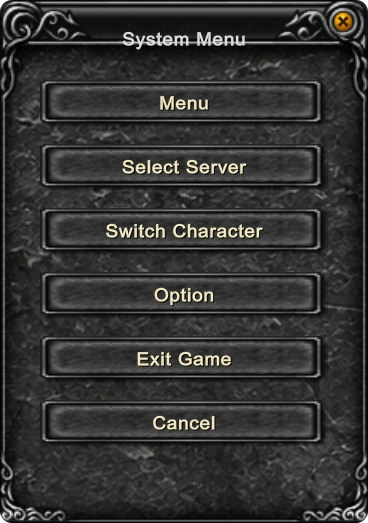
Esc closes the window on top, one per press. With nothing open it brings up the system menu: Menu, Select Server, Switch Character, Option, Exit Game and Cancel.
Updated: 08.10.2026
 Helper Alice